 PassLocal
Your passwords, locked on your phone.
PassLocal keeps your logins in an encrypted vault that never leaves your control. No cloud. No account. No internet permission.
Free for up to 3 accounts · No ads · No tracking
Why offline?
Most password managers store your vault on their servers so it can sync. PassLocal takes the other road: your vault stays encrypted on your phone, and there is no PassLocal server at all.
No cloud to trust
Your vault is a single encrypted file on your phone. Nothing is uploaded to us, because we have no servers.
No account to create
No sign-up, no email, no phone number. Open the app, choose a master password and start.
No internet permission
The app cannot go online. You can check this yourself in the permissions on its Google Play page.
Made to be easy, every day
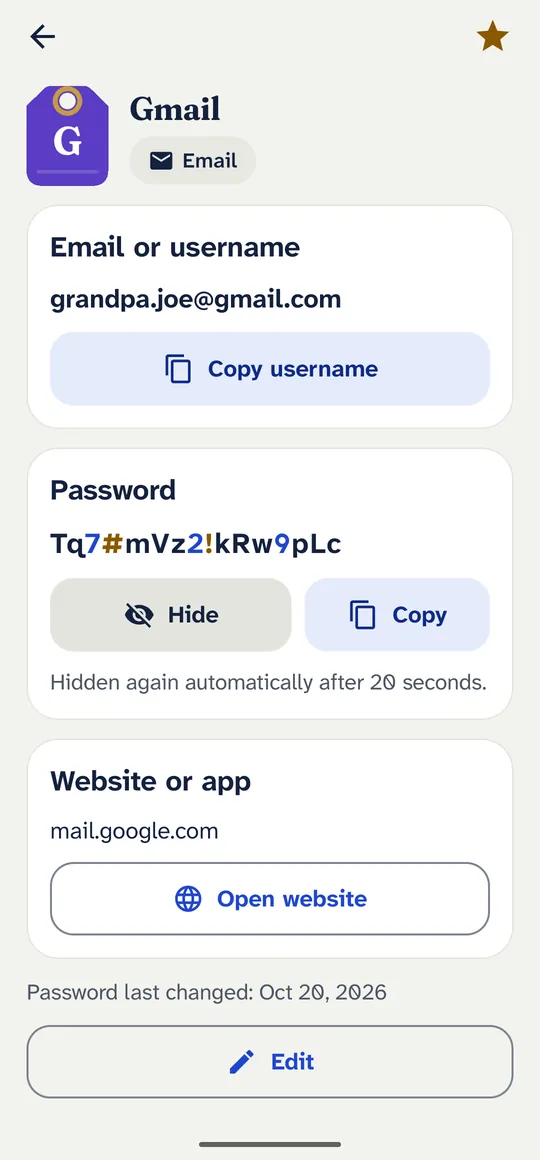
Large text, clear buttons and a gentle vibration on every tap. Designed so that anyone can use it, including parents and grandparents.
Unlock your way
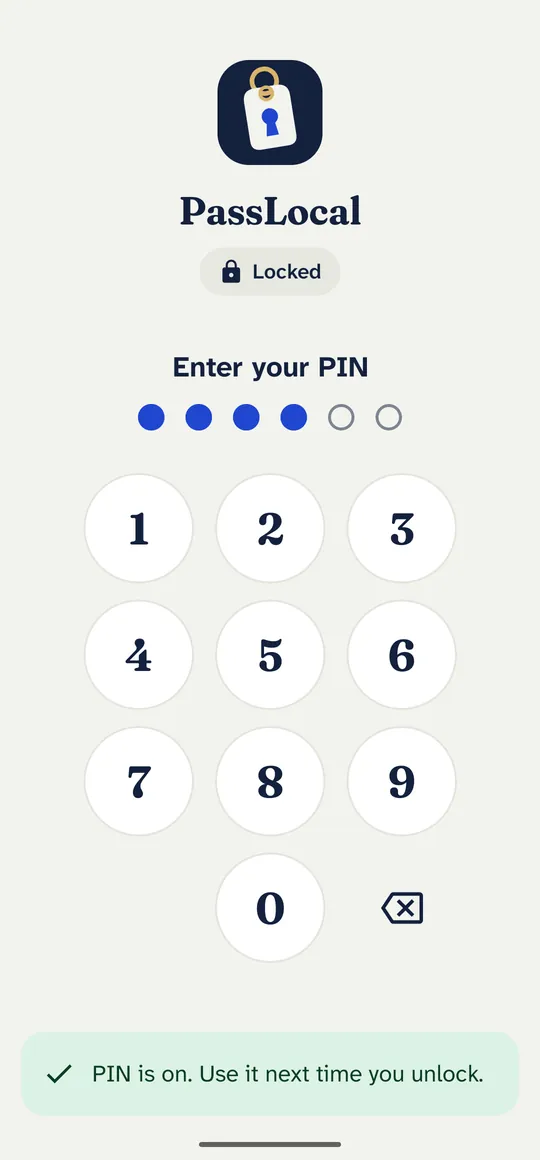
Fingerprint, face or your own 6-digit PIN. Your master password is still asked for after a restart and once a week.
Big, clear text
A typeface made for easy reading, so 0 and O, or 1 and l, never look alike. Three text sizes, up to extra large.
One tap to copy
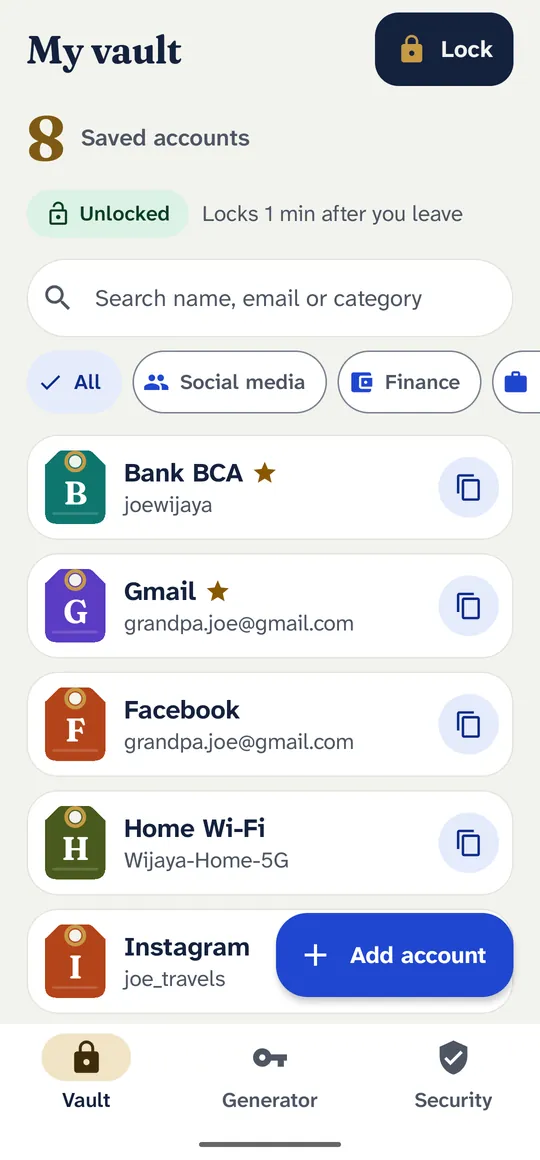
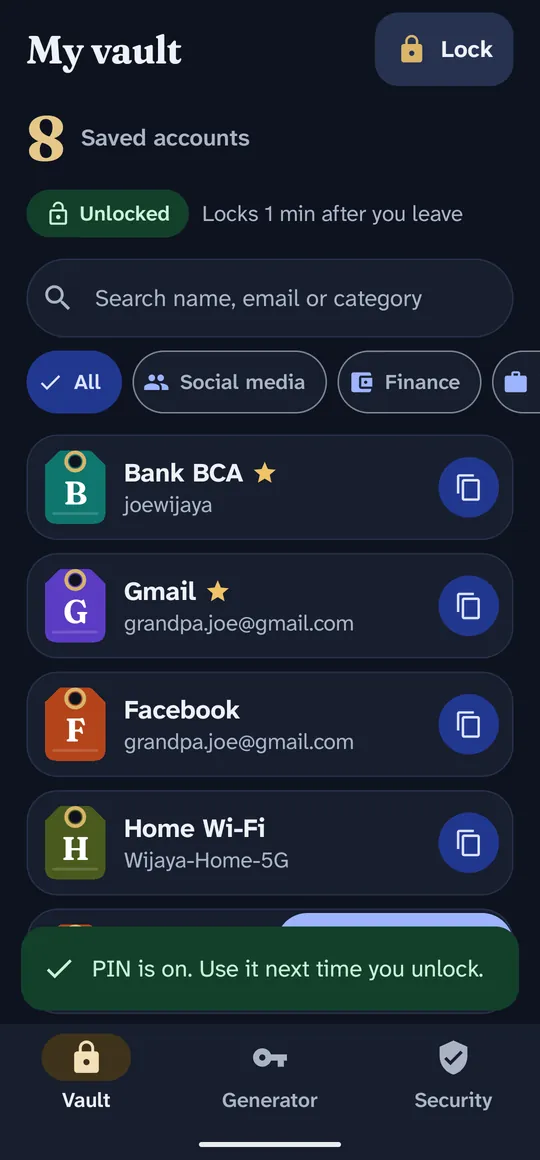
Copy a username or password in one tap. Copied passwords are cleared from the clipboard automatically.
Room for everything
Add extra fields such as an ATM PIN, account number or tax ID. Mark them secret to hide them like a password.
Strong passwords, made for you
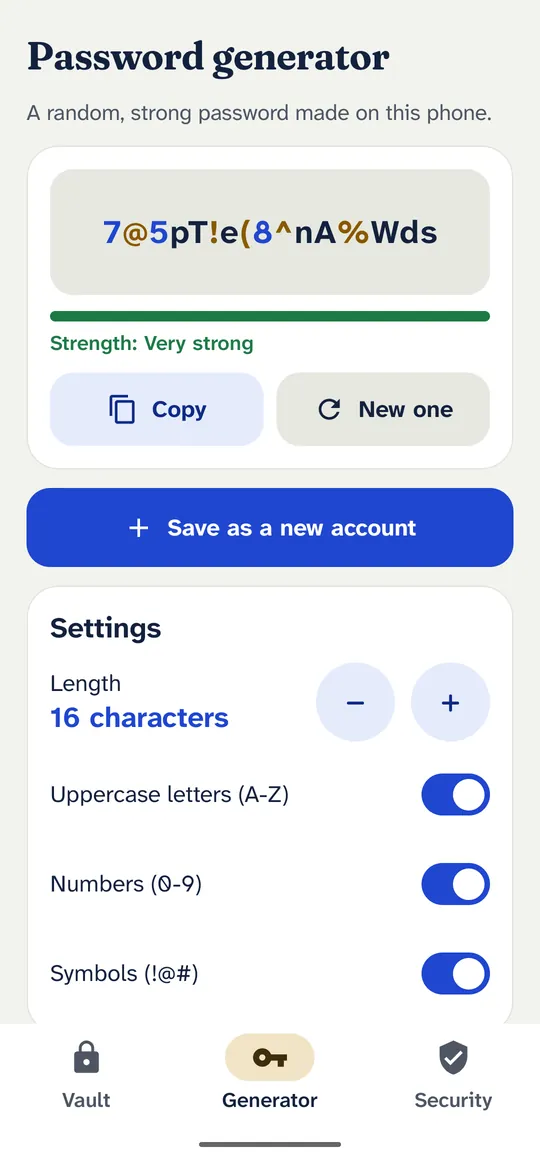
Create passwords of 8 to 64 characters with letters, numbers and symbols, right on your phone.
Backup to your own Google Drive
Save an encrypted backup file in one tap. Only your master password can open it. Moving to a new phone is easy.
Day and night
Dark mode follows your phone. Search, categories and favourites keep a long list tidy.
25 languages
Including English, Bahasa Indonesia, Español, Português, Français, Deutsch, 日本語, 한국어, العربية and हिन्दी.
Serious protection, explained plainly
PassLocal uses the same building blocks that security specialists recommend, and tells you honestly what no app can do.
- AES-256-GCM encryption for your whole vault
- Your key is made from your master password with Argon2id (RFC 9106), which makes guessing slow and expensive
- Wrong guesses are slowed down, and the app locks itself when you leave
- PIN: 10 tries without waiting, then longer waits; after 50 wrong tries the PIN turns off and the master password is needed
- Screenshots and screen recording are blocked
- No analytics, no ads, no crash reporting, no trackers
What no app can do
- Nobody can reset or recover your master password, not even us. Write it down and keep it somewhere safe.
- A phone that is rooted or has malware while PassLocal is open can read what is on the screen.
- A short or common master password can be guessed by someone who gets your backup file. PassLocal asks for at least 12 characters and refuses easy ones.
See it in action
Free to start. PRO when you need more.
No ads in either version. Your saved accounts are never locked: if PRO ends, you can still open, copy, edit and back up everything.
Free
Free
- Up to 3 accounts
- Fingerprint, face and PIN unlock
- Password generator
- Encrypted backup and restore
- Extra fields and your own categories
PRO
Yearly or lifetime
A yearly subscription, or pay once and keep PRO for life.
- Unlimited accounts
- Import from Chrome, Google Password Manager, Bitwarden and other CSV files
- 2FA codes (TOTP) next to your passwords, also offline
- Password health check: weak, reused and old passwords
See the current price for your country on Google Play before you pay. Subscriptions can be cancelled anytime in Google Play.
Questions
Is PassLocal really offline?
Yes. The app does not have Android's internet permission, so it cannot send or receive anything online. Purchases are handled by the Google Play app on your phone.
What happens if I lose my phone?
If you saved a backup file to your Google Drive, install PassLocal on the new phone and restore it with your master password. Android's own Google backup can also bring back the encrypted vault when you set up a new phone.
I forgot my master password. Can you help?
No one can, and that is on purpose: your master password is never stored or sent anywhere, so it cannot be recovered. Keep it written down in a safe place.
Can I move my passwords from another app?
Yes, with PRO. Export a CSV file from Chrome, Google Password Manager, Bitwarden or most other managers, then import it in PassLocal.
Is the free version limited in time?
No. The free version is free forever and keeps up to 3 accounts with all the security features.
Is PassLocal available for iPhone?
Not yet. PassLocal is for Android phones with Android 8.0 or newer.
Keep your passwords where they belong.
On your phone, encrypted, and under your control.